The fully automatic cartoning system significantly reduces labor requirements. It is the result of scientific and technological advancements and a highly automated system. It is frequently used in industries such as pharmaceuticals, food and beverages, and household chemicals. The use of cartoning machines can significantly reduce material and labor costs in automated packaging, which is of great economic importance. However, fully automatic cartoning machines can also experience malfunctions during daily operation. What are the most common malfunctions? How can they be resolved?
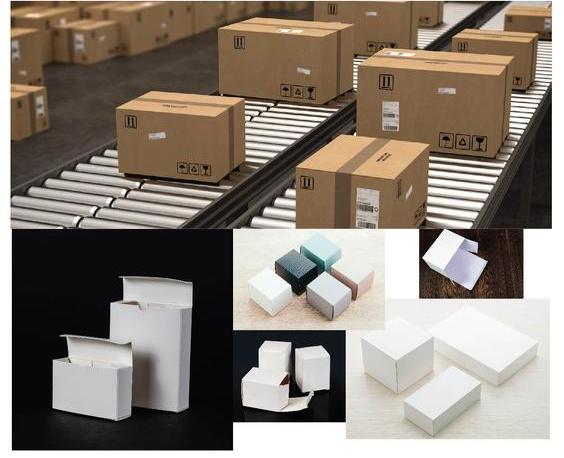
The box isn't sealed tightly
This defect is often caused by an uneven inner layer of the cardboard, uneven sealing pressure, a low sealing temperature, etc.
Troubleshooting procedure:
(1) Remove any unsuitable cardboard materials.
(2) Adjust the seal pressure.
(3) Increase the heat-sealing temperature.
Improper Sealing
This error is often caused by incorrect positioning of the hot-glue gun.
Troubleshooting method: Readjust the position of the hot glue gun.
The incorrect cartoning position deviates too much from the center of the color mark, etc.
Cause: The position of the light barrier is incorrect.
Troubleshooting procedure: Readjust the position of the photoelectric switch (electric eye).
Color Mark Positioning and Photoelectric Track Compensationare out of control.
This error is often caused by the cardboard coming into contact with seams and rough edges. There is debris inside the cardboard that causes poor paper feed. The cardboard jumps out of the guide slot of the photoelectric sensor (electric eye). The light spot from the photoelectric sensor (electric eye) does not align with the color mark. The sensitivity of the photoelectric sensor is low, and the light-dark detection is not functioning correctly.
Troubleshooting procedure:
(1) Remove any unsuitable cardboard boxes.
(2) Clean the paper guide to ensure smooth paper feeding.
(3) Place the cardboard box into the paper guide.
(4) Adjust the left and right positions of the guide paper so that the light spot is centered on the color mark.
(5) Replace the light-sensitive switch and select the appropriate light/dark motion switch.
The paper feed motor is not turning or is running continuously.
This error is often caused by a jammed paper feed control lever, a damaged paper feed proximity switch, a damaged start-up capacitor, or a blown fuse.
Troubleshooting procedure:
(1) Resolve the cause of the blockage.
(2) Replace the proximity switch for the paper feed. (3) Replace the start-up capacitor.
(4) Replace the fuse.
The cardboard is not being pulled (the cardboard-pulling motor is not running).
This error is often caused by a circuit malfunction, a damaged proximity switch for feeding cardboard, a malfunction in the automatic cartoning machine's control system, a malfunction in the stepper motor driver, etc.
Troubleshooting procedure:
(1) Check the circuit and correct the fault.
(2) Replace the proximity switch used to pull the Bagsee.
(3) Replace the control system of the automatic cartoning machine.
(4) Replace the stepper motor driver
The publisher of the magazine mentioned above briefly outlines the common problems and solutions for fully automatic cartoning machines. LTC PACK is a professional manufacturer of packaging equipment. If you are interested in our company, please feel free to contact us. We look forward to your call.







 English
  German